Fish For Sea Animals Controls Guide
Movement, interact, casting minigame, pull-up training, Settings codes, sell station, and mobile notes.
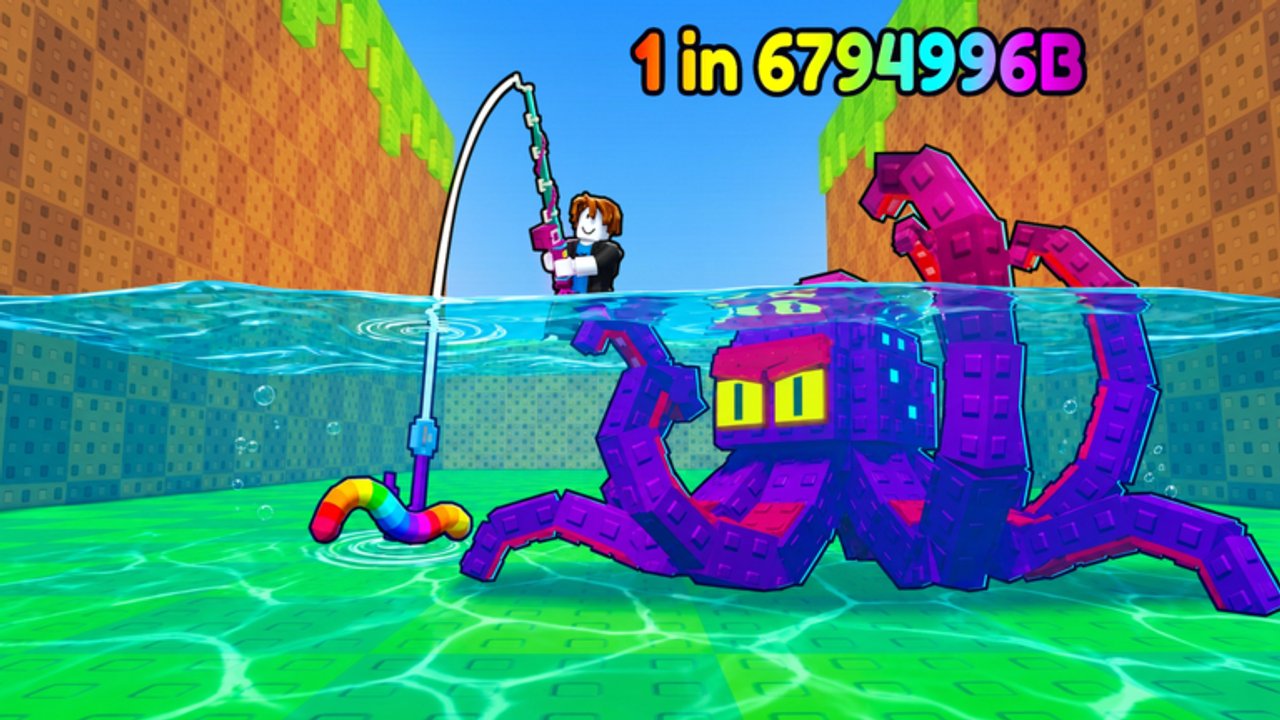
Clean inputs are half the progression in Fish For Sea Animals (Roblox listing: Fish for Secret Animals by Chill Shark). Power, Luck, and Cash only matter if you can move, interact, cast, train, redeem codes, and sell without fumbling. This controls guide covers the default keyboard and mouse bindings, how the casting minigame feels, where E matters at base, how Settings opens codes, and what mobile players should expect. Pair it with Getting Started on day one and keep How to Train Power open when the timing bar still fights you.
Default desktop controls
| Action | Default input |
|---|---|
| Move | WASD |
| Jump | Space |
| Interact (pull-up bar, storage, NPCs, pickups) | E |
| Cast / click the timing minigame | Left mouse button (LMB) |
Those four bindings drive almost every early loop. You walk the biome stretch with WASD, jump gaps or ledges with Space, press E at the pull-up bar and home-base stations, then hold or click LMB to start a cast and finish the timing window. If something “does nothing,” check distance and facing—most interactables need you close and looking at them before E registers.
Movement and camera habits
Treat the fishing stretch like a short open route, not a single pond. Strafing with A/D while you track other players or Index markers keeps you from walking off the cast angle you wanted. Jump (Space) helps clear low obstacles between biomes and reach raised platforms near shops or training gear. Do not sprint-cast: plant your feet before you open the minigame so camera sway does not steal the Perfect window.
After a catch, decide immediately—store or sell—then move. Standing still with a full inventory while the next rare despawn fantasy plays out in your head is how capacity disasters start. Movement is part of economy discipline, not just sightseeing.
Interact (E): pull-ups, animals, stations
E is the universal “use” key. Critical targets:
- Pull-up bar at home base — hold/interact to train Power between fishing blocks. Higher Power makes Perfect casts realistic; see How to Train Power.
- Home-base animal pickup / storage — pick up or place animals so passive Cash keeps ticking. Full pens need a sell pass or a capacity upgrade, not panic deletes of Index uniques.
- Sell station — convert extras into Cash. Sold pets are gone forever; never dump the only copy of an unlogged Index animal.
- Shops and UI prompts — rod shop, bait purchases, and onboarding markers often expect E or a clear click on the prompt.
If E fails, step closer, center the camera on the object, and try again. Another player standing on the same pad rarely blocks you permanently—reposition a step sideways.
Casting with LMB and the timing minigame
Equip a rod, face water, and use LMB to begin the cast. A timing indicator appears; click again (or release, depending on the live prompt) when the marker sits in the success zone. Landing in the best zone produces a Perfect cast, which stacks with rod Luck, bait Luck, and special worms from Codes.
Practical casting tips:
- Warm Power before long sessions so the window feels fair.
- Do not mash LMB out of frustration—reset, breathe, click once in the zone.
- After a Perfect streak breaks, take ten pull-up reps instead of burning a Rainbow Worm on cold hands.
- Remember rods multiply Luck only; they do not replace Power. A Leviathan-tier multiplier still needs clean LMB timing.
Missed casts waste time and, worse, waste bait windows. Treat LMB like a skill check, not a spam button.
Settings and code redemption
Open Settings from the in-experience UI, find Enter code, type carefully, then Redeem. The active mid-November promo FISHFORANIMALS grants 3 Rainbow Worms (+100 Luck and Perfect-cast help) plus 1 Jackpot Bait. Full reward notes and strategy live on the Codes page.
Control-side mistakes that waste codes:
- Typing with a leading space or wrong capitalization when the field is picky
- Redeeming, then ignoring inventory so you never equip the worms
- Burning all Rainbow Worms on the Wooden or early Steel setup before reading Getting Started
After any major patch—especially the MAJOR UPDATE + ??? window around 21 November 2026—reopen Settings first. New codes often ship the same day systems change.
Sell station discipline (still a control issue)
Players think selling is an economy topic only. It is also an input habit: walk to the sell station, press the interact flow, confirm the right animals, leave. Rushing the UI while chatting is how Index uniques disappear forever. Rule of thumb before you confirm:
- Keep first copies missing from any biome Index (Mutations & Secrets chase the rare end of that list).
- Sell duplicates of completed entries and low-value commons when capacity is tight.
- Stop if you are unsure—capacity upgrades exist so you are not forced into bad sells.
Mobile and touch notes
On mobile Roblox, on-screen joysticks replace WASD, a jump button replaces Space, and tap targets replace E/LMB. The same verbs remain: move, jump, interact, cast, time the bar. Expect:
- Slightly harder Perfect timing on small screens—train Power more before premium bait
- Easy mis-taps on sell confirmations—zoom UI if available and read labels twice
- More camera fight while casting—lock your stance before starting the minigame
If touch casting feels unfair, shorten sessions, raise Power, and save Jackpot Bait for a desktop login when you can.
Session flow using only these controls
- Join → open Settings → redeem any new codes (Codes).
- WASD to the pull-up bar → E → train until Perfects feel likely.
- WASD to water → LMB cast loop on an incomplete Index biome.
- E to store keepers at base; E at sell station for true extras only.
- Visit the rod shop when Cash allows; climb the sequential ladder on All Rods via the Tier List priorities.
- Between biomes, Space/WASD travel cleanly; do not cast while mid-jump.
- End the session with storage still earning—never sell the base dry “for neatness.”
Common control mistakes
- Casting while moving or jumping — ruins timing consistency.
- Skipping pull-ups — LMB skill check stays brutal; Luck items underperform.
- Ignoring E range — thinking the bar or sell pad is broken.
- Confirming sells too fast — permanent loss of Index or mutation keepers.
- Never reopening Settings after updates — missed codes equal missed free Luck.
What to read next
Controls get you into the loop; systems keep you climbing. Continue with Getting Started for the day-one checklist, How to Train Power for bar upgrades and train-versus-fish timing, and Mutations & Secrets when you are ready to spend Perfect casts on rare tables. Keep Codes bookmarked whenever Settings is one click away.
Master WASD, Space, E, and LMB as a single rhythm—move, train, cast, store, sell, redeem—and Fish For Sea Animals stops feeling clumsy. Every later rod and bait decision assumes you can already hit the buttons that make those upgrades matter.
Frequently Asked Questions
Quick answers for Fish For Sea Animals players.
What are the default controls in Fish For Sea Animals?
Move with WASD, jump with Space, interact with E, and cast or click the timing minigame with left mouse button (LMB).
Where do I redeem codes?
Open Settings in the experience, use Enter code, type the promo carefully, then Redeem. Start with FISHFORANIMALS and recheck after updates.
What does E do at home base?
E interacts with the pull-up bar for Power training, animal storage and pickups, the sell station, and other nearby prompts or shops.
How do I land a Perfect cast?
Start the cast with LMB, then click again when the timing indicator is in the success zone. Train Power at the pull-up bar so the window feels consistent.
Are mobile controls different?
Touch joysticks and buttons replace WASD, Space, E, and LMB, but the same actions apply. Perfect timing is harder on small screens, so warm Power before spending premium bait.